KDP Book Mockup Templates: A Strategic Tool for Authors and Creators
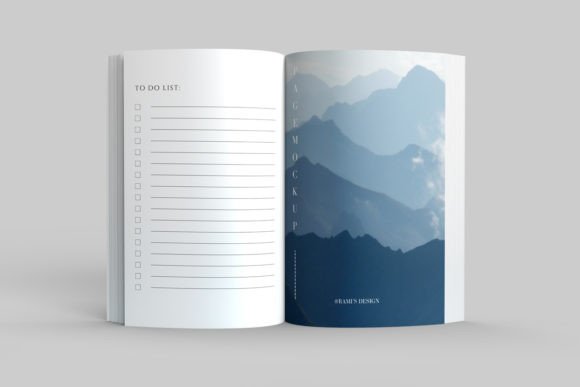
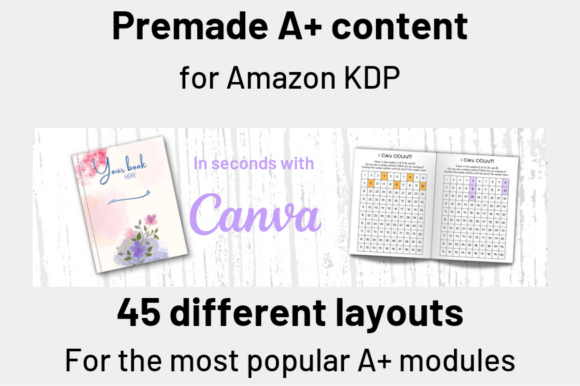
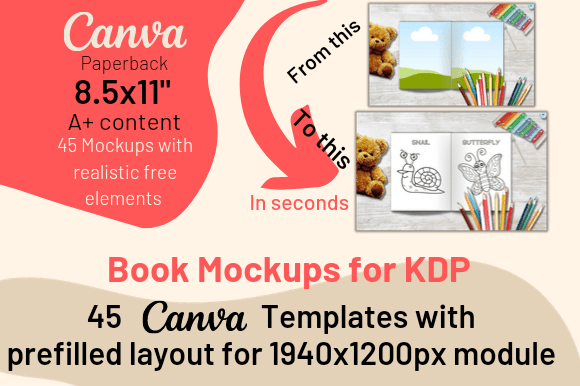
In the competitive landscape of self-publishing, especially on Amazon’s Kindle Direct Publishing platform, presentation is not merely an afterthought; it is a critical component of your marketing strategy. A KDP Book Mockup Template provides a systematic, visual method for showcasing your book in a professional context before it even hits the shelves. These digital templates, often designed for platforms like Canva, allow you to insert your book cover and interior pages into pre-made, realistic frames, creating high-quality images ready for promotion. Their strategic utility extends far beyond creating a pretty picture. They serve as a bridge between the creative work of writing and designing and the practical work of selling and communicating your book’s value to a potential audience.
Beyond Basic Promotion: The Strategic Value of Professional Mockups
Why might a KDP Book Mockup Template be a strategically useful investment for your publishing journey? The answer lies in perception and communication. A mockup transforms your digital file into a tangible object. For low-content books like journals, planners, or coloring books, a mockup demonstrates their physical utility and aesthetic. For high-content novels or non-fiction, it conveys substance and polish. This visual translation is essential for building trust. When a prospective buyer encounters your book on an Amazon A+ Content page or across social media platforms like Instagram or Pinterest, a professional mockup signals that the product is real, complete, and of high quality. It reduces the cognitive gap between seeing a flat cover image and imagining holding the actual book, thereby lowering a barrier to purchase.
Thoughtful use of these templates supports several key goals. For planning and positioning, mockups allow you to test how your cover design looks in a real-world context, perhaps on a desk or in a reader’s hands, which can inform final design tweaks. For branding, consistent use of high-quality mockups across all your promotional channels builds a cohesive and professional author identity. Operationally, they streamline the creation of marketing assets, saving significant time and resources compared to commissioning custom photography for every book. Ultimately, this contributes to a better customer experience; the first visual impression of your book is polished and realistic, setting positive expectations for the product itself.
Intentional Application: When and How to Use Mockup Templates
The decision to use a KDP Book Mockup Template should be guided by your specific objectives. They are most powerful when employed intentionally, not randomly. Consider using them at key junctures: during the final cover design phase for visual feedback, during the pre-launch marketing campaign to generate anticipation, and continuously post-launch for ongoing social media promotion and Amazon A+ Content. The approach is straightforward—select a template that matches your book’s genre and audience tone, drag and drop your designs, and customize accompanying text prompts—but the thinking behind it should be strategic.
Before relying on a template, consider a few practical elements. First, ensure the mockup’s style aligns with your book’s genre; a dark, dramatic frame might suit a thriller, while a light, clean frame is better for a journal. Second, pay attention to the provided “realistic prompts” or text callouts. These are designed to highlight key features, but you should adapt them to focus on your book’s unique selling points. For example, change a generic “Interior Pages” prompt to “120 Pages of Guided Meditation Prompts” for a wellness journal. This customization turns a generic asset into a targeted marketing tool. Remember, while you can freely add, remove, or move these prompts, the mockup frame itself is usually fixed. Altering it can break the realistic perspective, so it’s advisable to work within the template’s intended structure.
Planning for Long-Term Results: Integrating Mockups into Your Workflow
To extract long-term value, integrate KDP Book Mockup Templates into your standard publishing workflow. For each new project, make the creation of a mockup image a defined step in your marketing checklist. This ensures consistency across your catalog. Practical examples of their use are varied: create a carousel of interior page mockups for Instagram to showcase the content of a cookbook; use a single elegant mockup as the hero image for your Amazon A+ Content module; or incorporate mockups into Pinterest pins aimed at hobbyists looking for a new sketchbook. These actions move beyond simple advertising into demonstrating utility and quality.
A strategic observation is that these templates can also serve as a learning tool. By seeing your book in a mocked-up environment, you might gain insights into how the spine text appears, whether the cover colors pop in a natural light setting, or if the book’s thickness looks appealing. This can inform future design decisions, creating a feedback loop that improves your products over time. The productivity gain is clear: a well-chosen template library allows you to generate dozens of professional visuals in minutes, freeing you to focus more energy on creating new books rather than laboring over promotional graphics.
Navigating Potential Risks and Ensuring Contextual Use
While powerful, there are possible risks of using a KDP Book Mockup Template without clear goals or context. The primary risk is genericism. If you use the same template style for every book without customization, your brand may look repetitive rather than cohesive. Another risk is misalignment; using a mockup that feels disconnected from your book’s actual audience (e.g., a luxury leather-bound mockup for a simple, budget-friendly notebook) can create dissonance and mistrust. The key is intentional selection and adaptation.
To use these templates intentionally, start with your communication goal. What do you need this image to convey? Is it the book’s premium quality, its fun interior, or its practical size? Then, choose a template that emphasizes that attribute. Modify the text prompts to speak directly to your target reader’s needs and desires. Finally, deploy the finished mockup in the channel where it will have the most impact—perhaps a detailed A+ Content page for Amazon shoppers or a quick, engaging video on TikTok for a younger audience. This goal-first approach ensures the tool serves your strategy, rather than your strategy being dictated by the tool.
A Tool for Realistic Use Cases: From Entrepreneurs to Hobbyists
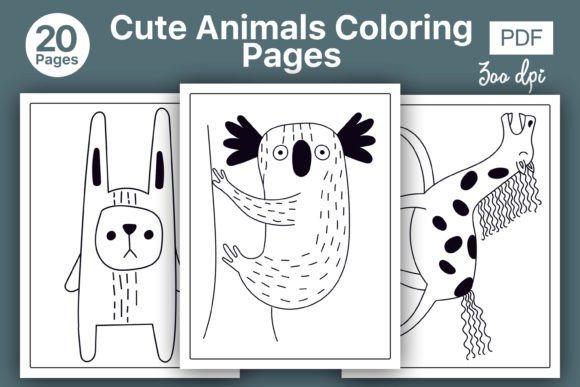
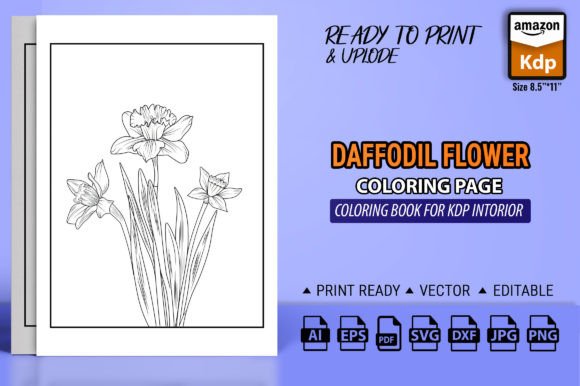
The utility of a KDP Book Mockup Template spans the spectrum of creators. For the entrepreneur or small business owner publishing a series of professional journals, mockups provide brand consistency and scalable marketing. For the marketer or blogger promoting a single book, they offer a quick path to credible promotional assets without a design background. Educators or freelancers creating instructional workbooks can use mockups to visually communicate the book’s structured content. Even hobbyists publishing a niche coloring book can leverage mockups to compete on quality and presentation in a crowded marketplace.
In every case, the template is not a magic solution, but a tactical instrument. Its value is unlocked when combined with a clear understanding of your book’s market position, your audience’s expectations, and your own promotional channels. By treating the creation of a mockup as a strategic decision—part of your planning for positioning, communication, and long-term results—you transform a simple drag-and-drop task into a meaningful step toward achieving better outcomes for your KDP journey. The professional look it provides is not just about shadows and frames; it’s about building a trustworthy visual foundation for your book’s success.